Zoho • 13 MIN READ
Zoho vs HubSpot vs Salesforce for Australian SMEs
Three very different CRMs with very different price curves. An Australian comparison of AUD costs, data hosting, accounting links and which kind of business each one actually suits.
Practical guides on Zoho CRM, websites and growth for Australian businesses, written by the Vixo team in Forestville, NSW. See related services →
Three different philosophies
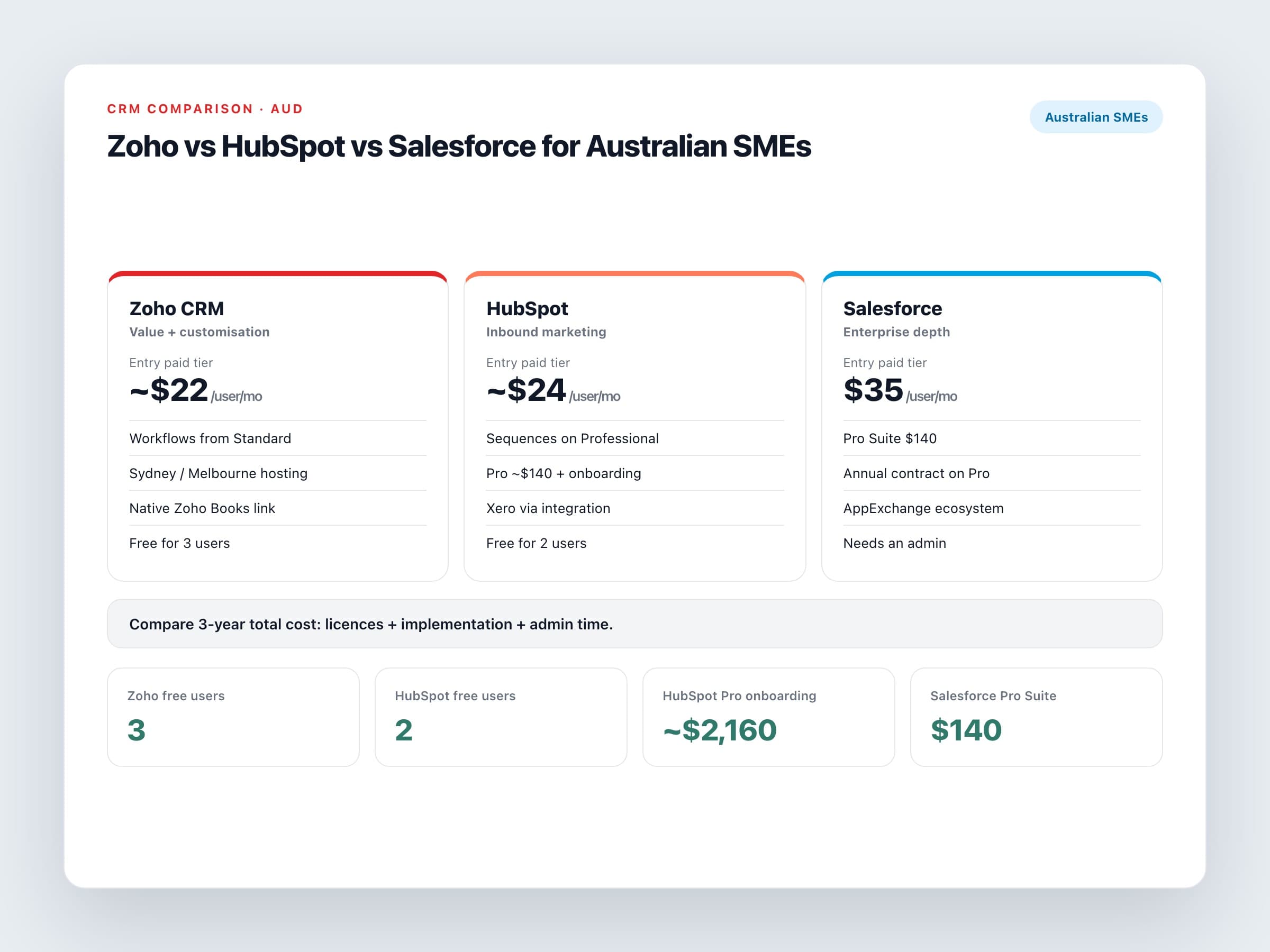
These three get compared constantly, but they're built for different buyers. HubSpot started as marketing software and is excellent at inbound lead generation. Salesforce is the enterprise standard, with huge flexibility and the price and complexity to match. Zoho CRM sits in between: deep customisation at a much lower price, as part of a wider suite of business apps.
Pricing in AUD
These are starting prices from each vendor's Australian pricing page as of September 2026, billed annually. Watch how each one treats GST.
Entry and mid-tier pricing
Zoho CRM
Free for up to three users. Standard is about $22 per user a month, Professional about $35 and Enterprise about $61. Prices are shown including GST.
HubSpot
The free CRM covers up to two users. Sales Hub Starter is about $24 per seat a month. Sales Hub Professional is about $140 per seat, plus a one-off onboarding fee of around $2,160. GST is added on top.
Salesforce
Starter Suite is $35 per user a month, and Pro Suite is $140 per user a month on an annual contract. Enterprise and Unlimited editions sit well above that.
The entry prices look similar. The real gap shows up in the middle tier, where you get proper automation. Zoho's workflow rules start on Standard. With HubSpot, sequences and custom workflows are mostly Professional features, which is where costs climb quickly for a ten-seat sales team.
Australian considerations
What matters locally
Data hosting
Zoho accounts created on the Australian domain are hosted in Sydney with Melbourne as backup. HubSpot and Salesforce both offer Australian hosting in some situations, but it depends on your plan and how the account was set up, so ask for confirmation in writing.
Accounting and BAS
None of the three lodge BAS. Zoho has its own accounting app, Zoho Books, plus Xero integrations. HubSpot and Salesforce connect to Xero through integrations and marketplace apps.
Local partners
All three have Australian partners. Salesforce's ecosystem is the deepest for enterprise work, while Zoho's local partner market is smaller and more focused on SMEs.
The cheapest CRM is the one your team actually uses every day. The licence is only part of the bill.
Which one suits which business
Choose Zoho CRM if
You want automation without a price cliff
Workflows, assignment rules and approvals are available without jumping to an expensive tier.
You like the idea of one vendor
CRM, accounting, help desk and projects can all come from Zoho, connected natively.
Someone can configure it properly
Zoho rewards good setup. Out of the box, it can feel busy.
Choose HubSpot if
Marketing drives your growth
Content, email, landing pages and attribution are where HubSpot is strongest.
Ease of use is worth paying for
The interface is very polished, and teams usually pick it up quickly.
The budget covers Professional tiers
Or your team is small enough that Starter will do the job.
Choose Salesforce if
Your sales process is complex
Several business units, long enterprise deals, or customers who expect it.
You can fund an admin
Either an in-house admin or a partner on retainer. Salesforce isn't a set-and-forget system.
You need a specific AppExchange product
Some industry tools only exist in the Salesforce ecosystem.
How to decide without a six-month evaluation
Write down your five most important sales workflows. Ask each vendor, or a partner, to demonstrate those exact workflows rather than a generic demo. Then price three years: implementation, the tier you'll realistically need in year two, and admin time. That total, not the starter price, is the number you should be comparing.
