
Zoho • 12 MIN READ
Migrating from HubSpot or Salesforce to Zoho CRM in Australia: what moves, what breaks, what it costs
Migrate to Zoho CRM from HubSpot or Salesforce in Australia: what data moves, what you rebuild, costs and CRM implementation pitfalls.
Practical guides on Zoho CRM, websites and growth for Australian businesses, written by the Vixo team in Forestville, NSW. See related services →
Best CRM move for Australian SMEs: after you choose Zoho
If you've already decided Zoho CRM is the best CRM for small business Australia needs — versus HubSpot or Salesforce on price, hosting or fit — stop rereading comparison charts. Zoho CRM vs Salesforce and Zoho CRM vs HubSpot debates end here; the risk now is a messy CRM implementation: orphaned deals, stages that don't match, and marketing sequences that quietly die because nobody rebuilt them.
A small, clean migration often takes two to four weeks. Bigger Salesforce orgs with custom objects take longer. Budget time for data cleanup; that's where migrations actually slip.
What moves vs what you rebuild
Usually migrates well
Accounts/companies, contacts, leads, deals/opportunities, products, notes and basic activities — if you map fields and picklists carefully.
Needs a decision first
HubSpot keeps almost everyone as a contact with a lifecycle stage. Zoho separates Leads and Contacts. Decide the split before import.
Does not migrate as-is
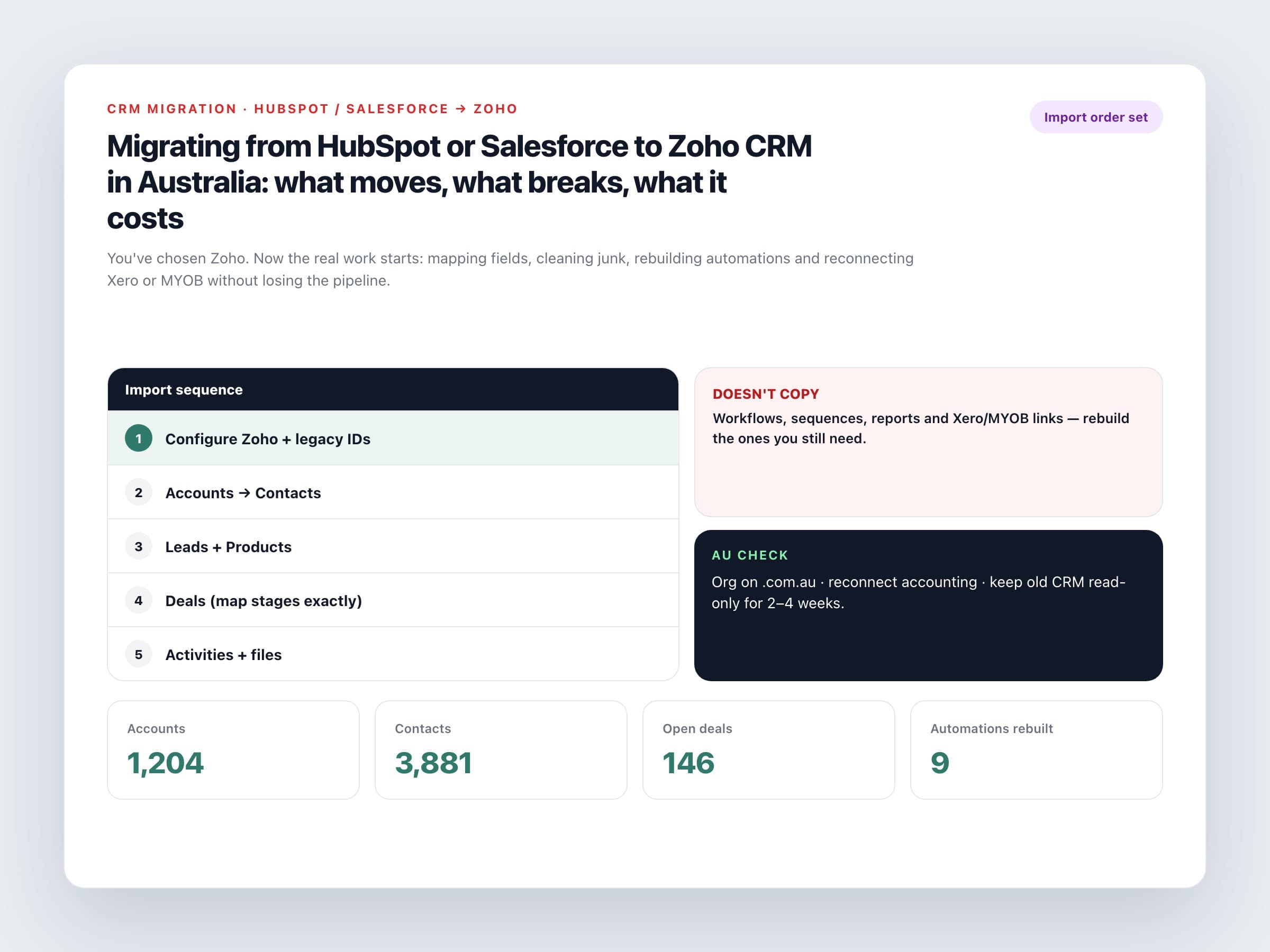
Workflows, sequences, assignment rules, reports, dashboards and most integrations. Rebuild only what you still use.
Often better left behind
Years of dead leads, duplicate companies and unfinished experiments. Migration is a chance to stop dragging junk forward.
Don't migrate your mess into a cheaper CRM. Clean it, then move it.
Import order that preserves relationships
Do it in this sequence
1. Configure Zoho first
Users, roles, pipelines, picklists and custom fields. Add a legacy ID field on each module so you can match parents to children.
2. Accounts, then contacts
Companies first. Contacts second, linked via legacy account ID or exact account name.
3. Leads and products
Only after you know which HubSpot lifecycle stages become Zoho Leads.
4. Deals
Map stages character-for-character. Link to accounts and contacts.
5. Activities and files
Notes, calls, meetings, tasks, then attachments.
Australian checks before go-live
Local must-dos
Data centre
Create the org on accounts.zoho.com.au so customer data sits in Sydney/Melbourne, not an overseas DC you inherited from an old signup.
Reconnect accounting
HubSpot or Salesforce to Xero/MYOB links won't follow you. Rebuild the CRM→ledger handoff in Zoho Flow or a Marketplace connector.
Phone and address formats
Normalise mobile numbers and state/suburb fields before import so filters and SMS tools work.
Privacy and access
Revisit who can export contacts. Turning on Zoho is a good moment to enforce two-factor authentication.
What it costs in practice
Affordable CRM software Australia buyers often cite licence savings first, especially leaving HubSpot Professional or Salesforce Pro Suite. The project cost is the real variable. A focused migrate to Zoho CRM Australia project — field mapping, cleanup, import, core automations, Xero reconnect — often sits in a similar band to a normal CRM implementation (commonly a few thousand to low tens of thousands of dollars through an Australian partner, depending on data quality). Messy Salesforce customisation costs more because you're redesigning, not just copying.
Cut-over habits that save pain
Trial import first
Load a sample in a sandbox or trial, spot-check relationships, then run production.
Freeze the old CRM
Short freeze while the final export runs so nothing is typed into a system you're abandoning.
Keep read-only access
Leave HubSpot or Salesforce available for a few weeks for history checks before you cancel.
Rebuild the top 10 automations only
Lead assignment, deal follow-ups, won-deal invoice draft. Ignore ornamental workflows from 2019.
When migration is done, you should open Zoho and see the same open pipeline your team recognised yesterday — with cleaner fields and fewer duplicates. If managers can't find their deals on Monday morning, the import finished but the project didn't.
Ready for CRM implementation Australia support on a HubSpot or Salesforce exit? Get expert advice on selecting field maps, rebuilding automations and reconnecting Xero or MYOB.
