
Zoho • 11 MIN READ
Zoho Inventory and Shopify: stock sync for Australian online retailers
Zoho Inventory Shopify integration for Australian e-commerce: map SKUs, sync stock, set GST and stop overselling across channels.
Practical guides on Zoho CRM, websites and growth for Australian businesses, written by the Vixo team in Forestville, NSW. See related services →
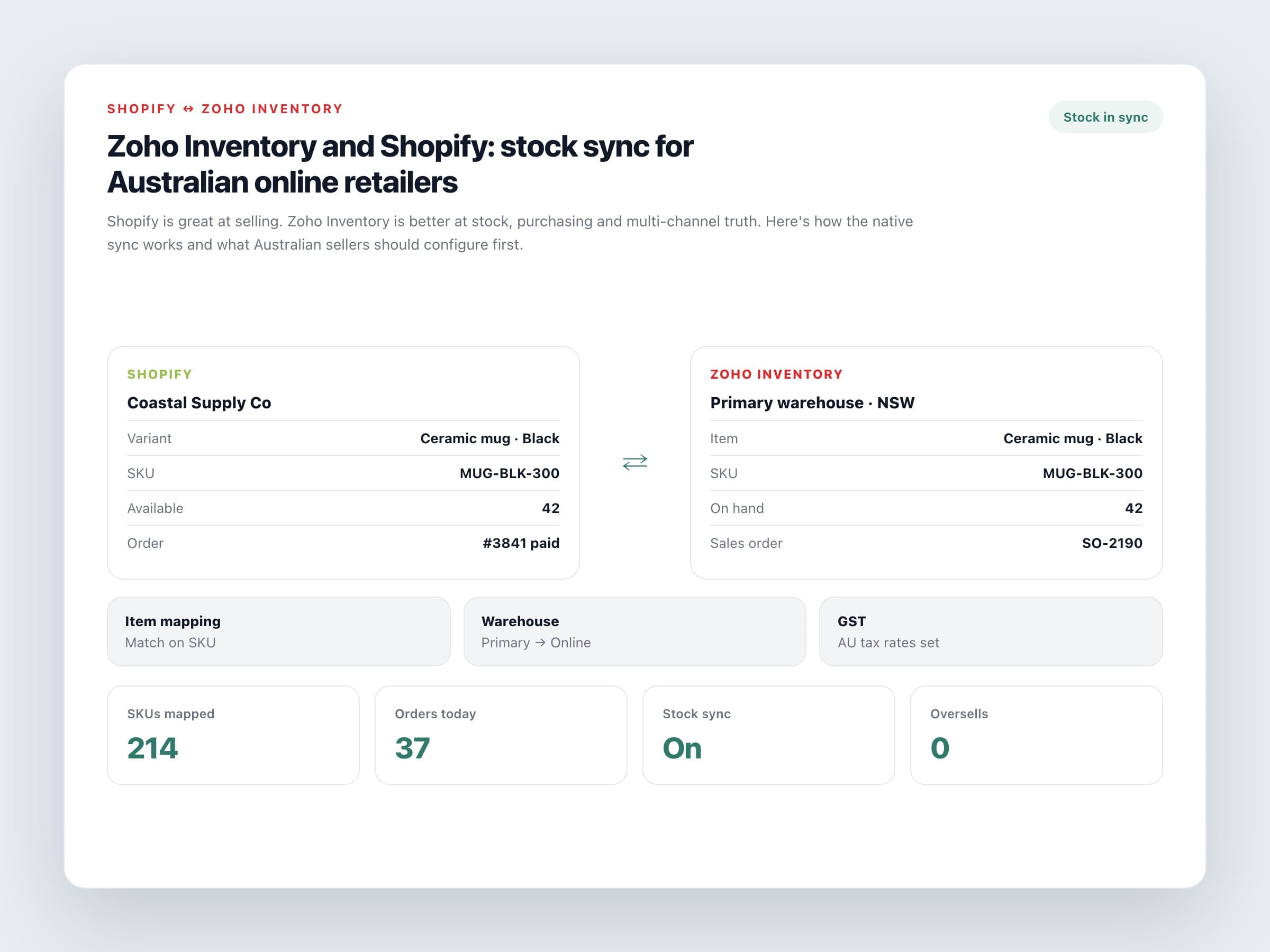
When Shopify e-commerce needs Zoho Inventory
Plenty of Australian e-commerce stores run happily on Shopify with a single location. The cracks show when you sell on Shopify plus Amazon or eBay, keep stock in a warehouse and a shop floor, buy from suppliers with purchase orders, or need packing slips and shipment tracking that don't live only in Shopify admin. That's when a Zoho Inventory Shopify integration becomes useful.
Zoho Inventory sits behind the storefront. Shopify keeps the customer experience. Inventory becomes the place stock, purchase orders and fulfilment actually live.
What the Zoho Inventory Shopify integration syncs
Items
Products sync based on SKU or item name. Get SKUs consistent before you connect, or you'll create twins.
Sales orders
Orders can sync as confirmed, or confirmed and fulfilled, depending on how you configure the integration.
Stock levels
Enable stock sync so available quantity in Zoho Inventory pushes to Shopify. Map warehouses carefully if you have more than one location.
Shipments and customers
Shipments created in Inventory update Shopify. New buyers can flow through as contacts.
SKU discipline beats sync settings. If the same product has three codes across Shopify and spreadsheets, no integration will save you.
A setup order that avoids overselling
Do this in sequence
Clean the catalogue
One SKU per sellable variant. Fix duplicates in Shopify first.
Create the AU organisation
Set country to Australia, enter your ABN, and configure GST rates for taxable and GST-free items.
Connect Shopify
Use the same email on both sides where possible. Authorise the store from Shopping Cart integrations in Zoho Inventory.
Configure mapping
Choose item mapping, customer mapping, warehouse or location mapping, import start date and sync frequency.
Test with a quiet SKU
Sell one low-risk product end to end: order, pick, ship, stock decrement on Shopify. Then open the floodgates.
Australian gotchas
Things that bite local sellers
GST on items
Mark GST-free products correctly. Don't rely on Shopify tax alone if Inventory is raising invoices or feeding Zoho Books.
Combined warehouse stock
By default, available stock across warehouses can roll up to Shopify. If a location shouldn't sell online, exclude it from the mapping.
Returns and cancellations
Agree how refunds and restocks are handled so Inventory and Shopify don't drift.
Accounting handoff
Many AU retailers push Inventory into Zoho Books or keep Xero as the ledger. Decide that before month-end, not after.
If you're already on Zoho One, Inventory is part of the suite and the business case is simpler. If you're not, price Inventory against the cost of stockouts, overselling and the hours spent updating quantities by hand. For multi-channel Australian retailers, that usually lands in Inventory's favour once the catalogue is clean.
Ready to connect inventory and e-commerce properly? Get your Shopify store and Zoho Inventory linked with AU GST, warehouse mapping and a clean SKU catalogue — then expand to other channels.
