Zoho • 12 MIN READ
Using Zoho CRM for NDIS providers: participants, plans and invoicing
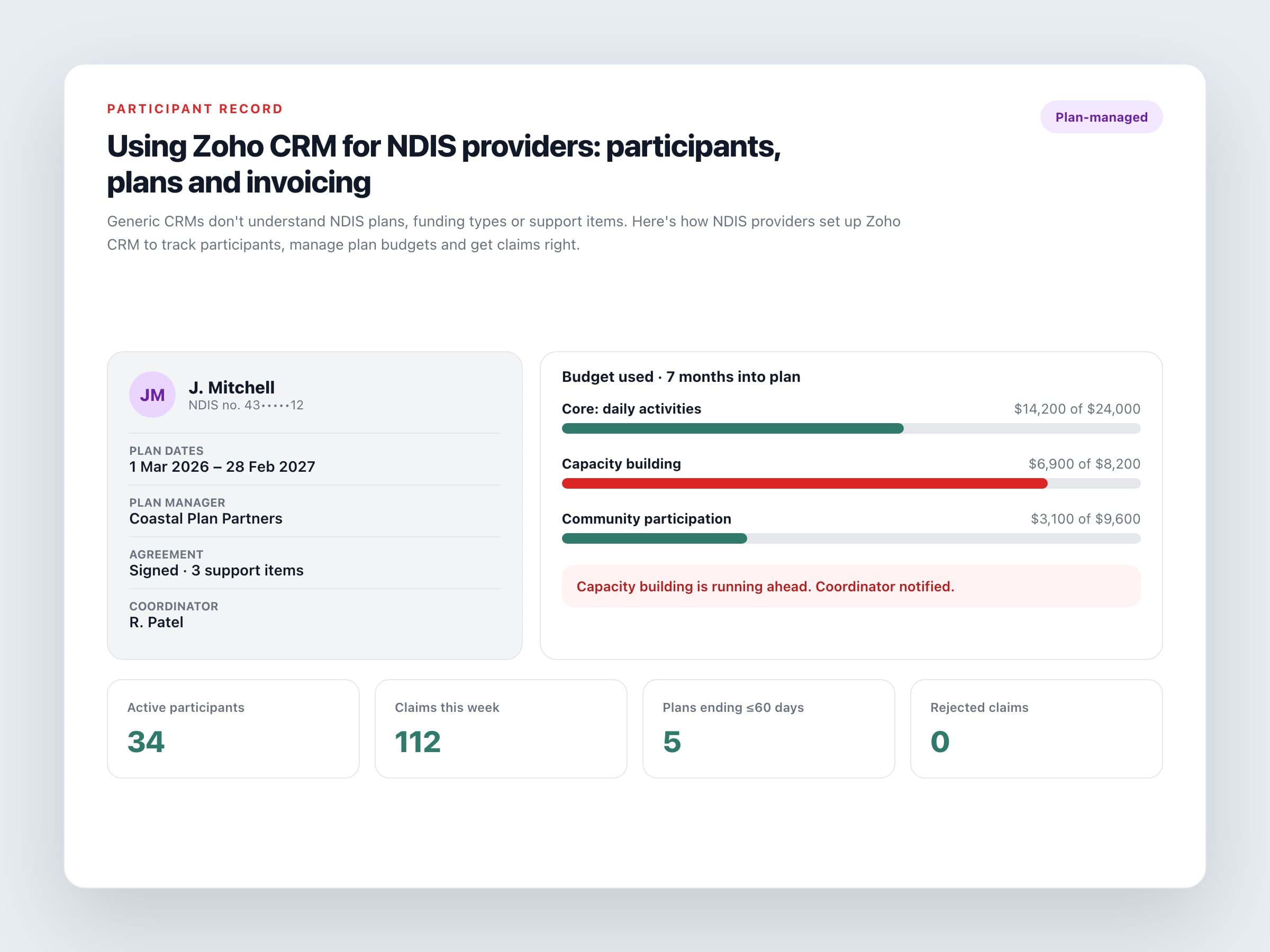
Generic CRMs don't understand NDIS plans, funding types or support items. Here's how NDIS providers set up Zoho CRM to track participants, manage plan budgets and get claims right.
Practical guides on Zoho CRM, websites and growth for Australian businesses, written by the Vixo team in Forestville, NSW. See related services →
Why NDIS providers outgrow spreadsheets fast
Most providers start with a spreadsheet of participants, a shared calendar and an accounting package. That works until you have thirty participants on different plan dates, three funding types and support coordinators asking for budget updates. Then someone spends Friday afternoon matching shifts against plans, and still gets some of it wrong.
Zoho CRM isn't NDIS software out of the box. But it's flexible enough to model how a provider actually works. That's often a better fit than a rigid niche product, especially if you also have private clients or run other funded programs.
The core setup
Modules worth building
Participants
NDIS number, date of birth, nominee or primary contact, support coordinator, goals, communication preferences and risk notes. Keep sensitive health details in restricted fields that only certain roles can see.
Plans
Start and end dates, review date, funding management type (NDIA-managed, plan-managed or self-managed), and plan manager details where they apply.
Service agreements
Linked to the plan, listing the agreed supports, support item numbers, rates and the agreed hours or budget.
Support items
A reference list built from the current NDIS pricing schedule, with the unit, price limit and claim type for each item. Update it every 1 July when new pricing takes effect.
Service deliveries
Every shift or session logged against the participant, support item, worker and agreement. This is what drives your claims.
If a support isn't linked to an agreement and a support item, it shouldn't be claimable. Build that rule into the system, not into someone's memory.
Getting invoicing and claiming right
How you get paid depends on how the participant's funding is managed, so the CRM needs to know which type applies to every plan.
Three funding types, three processes
NDIA-managed
Claims go through the myplace provider portal, usually as a bulk payment request file. Zoho can generate that file from approved service deliveries, using the columns the portal expects.
Plan-managed
Send a tax invoice to the participant's plan manager, including your ABN. The plan manager lodges the claim. Don't bulk-claim these yourself, because they'll be rejected.
Self-managed
Invoice the participant or their nominee directly, the same way you'd invoice a private client.
Payment requests generally need to be made within two years of the support being delivered, but leaving them anywhere near that long is a cash-flow problem waiting to happen. Claiming weekly is a good habit. Zoho Books or Xero can hold the invoices and payments, with the status showing back in CRM.
Budget tracking participants actually notice
Show the remaining budget for each support category against the plan end date, and alert the coordinator when spending is running ahead. Participants and families notice when a provider warns them early instead of after the money has run out. It's also one of the easiest ways to stand out from other providers.
Privacy and where the data lives
You're holding health and disability information, which the Privacy Act treats as sensitive. Zoho accounts on the Australian data centre are hosted in Sydney with Melbourne as backup, which helps with the data residency questions auditors and families ask. You still need to lock down roles, turn on two-factor authentication and audit logs, and document who can see what. Data location isn't a substitute for access control.
Where to start
A sensible build order
Map one journey
Follow one participant end to end: referral, intake, agreement, delivery, claim and payment.
Build the foundations first
Set up Participants, Plans and Agreements before rostering and claiming.
Load the support items
Import the current list and decide who updates it each financial year.
Test every funding type
Run a full claiming cycle for NDIA-managed, plan-managed and self-managed participants before you go live.
